
photo stories / 6-second example
Split-screen story demo
Split photographs move in opposing directions around an editorial seam.
MAKE IT YOURS
Build this kind of shot
Choose photos that complement one another across the split. Keep eyes, products or other important details away from the editorial seam.
- Open the Split-screen story editor and replace the sample content using its available controls.
- Adjust the layout, colours and timing. Preview the full motion before downloading.
- Export your result and add it to your video timeline.
Before you export
Is Paper Animators free to try?
Editing and previews are free. A free account includes 3 lifetime 720p video exports without watermarks. Unlimited plans add 1080p exports. See current plans and export limits.
Which format can I download?
Video exports use MP4 when supported by the editor and browser, with WebM available as a fallback. Check the export options in your chosen editor. An MP4 file does not have a transparent background; use the available green-screen option when you need to key out a background.
Can I use my own images and words?
Replace the samples wherever the editor supports custom content. Use media you own or have permission to use. Sample names, posts, maps and numbers are illustrative, not factual evidence. Read the export usage guide.
Another way to tell it
All 73 demos →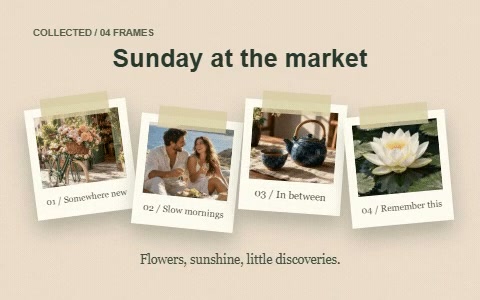 6s · Watch demo ↗
Scrapbook montage
Four photos land on textured paper with tape, handwritten details and a final collage. Swap all four images for a new story.
 6s · Watch demo ↗
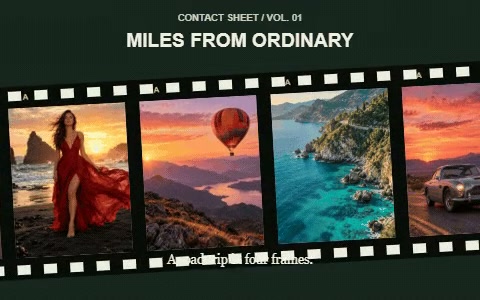
Filmstrip photo reel
Your photos travel through a filmstrip with sprocket holes, frame numbers and a quiet editorial title.
 6s · Watch demo ↗
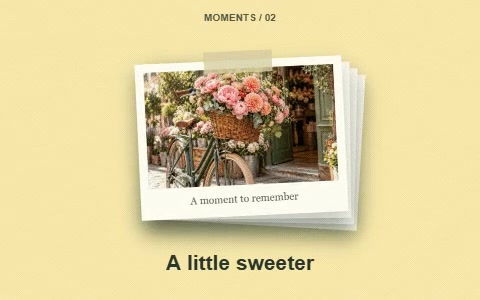
Stop-motion photo stack
A stack of photographs changes in deliberately stepped motion, with offset paper frames and tactile jumps.