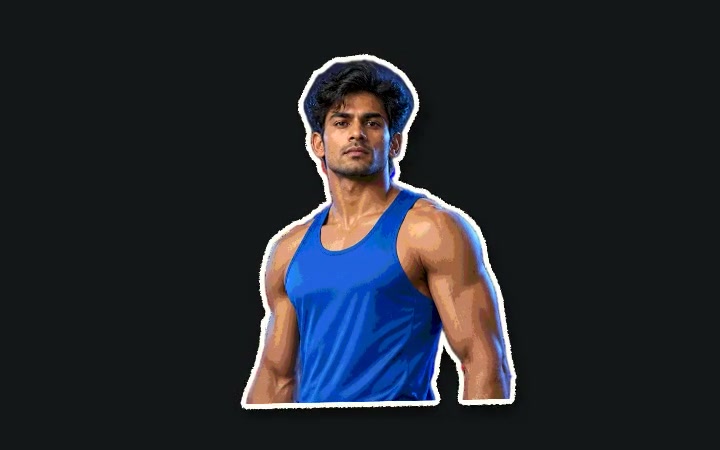

Paper Cutout Sticker Animation
Use our online paper animator to create a photographic sticker with a rough paper border for YouTube edits, music visuals, podcasts and social videos. Upload your subject, remove its background, then adjust edge width, color, shadow and composition.
Editing tip
Use a clear portrait or transparent PNG. Choose original photography, printed poster or monochrome, then add a gentle continuous wiggle or slow rocking motion. Image cutouts save as transparent PNG; videos export on a solid, paper or green-screen background.
Learn how to make a paper animation and choose a cutout, reveal or text treatment for your scene.
How to make it
- Load a transparent subject or remove the background of a photo.
- Set the paper border and shadow, then choose a wiggle, rock or entrance.
- Check the outer edge at both ends of the movement.
A free account includes 3 free 720p animation exports, without a watermark. Unlimited plans add 1080p. Clips can be up to 60 seconds. Rendering runs on your device. MP4 requires browser H.264 support; WebM is the fallback. Current desktop Chrome or Edge is recommended.
Questions about this animation
How do I turn a photo into a paper cutout animation?
Add a photo or transparent PNG, isolate the subject if needed, and adjust the paper border, shadow and motion. Preview the cutout at your chosen format before exporting the animation.
Can I download a transparent paper cutout PNG?
Yes. Save the isolated cutout as a transparent PNG for a sticker, thumbnail or collage. For an animated overlay, export on a green-screen background and remove that colour in your video editor; MP4 does not preserve transparency.
What is the difference between paper cutout and paper crumple?
Paper Cutout adds a paper edge and movement to a subject. Paper Crumple introduces the subject by unfolding a crumpled paper ball. Choose the motion that fits the moment in your edit.
Is this animation maker free?
Preview and edit for free. A free account includes 3 free animation exports at 720p with no watermark. Unlimited monthly and yearly plans add 1080p exports. See the pricing page for current prices and renewal terms.
Compare free and unlimited exports · Help with rendering and downloads
Try these next
- Background Remover
Remove image backgrounds or process a short video locally. Save a transparent image or place your subject on a new background.
- Accordion print
A photograph folds into a shaded accordion mesh in perspective.
- Magazine spread
A designed editorial spread flexes along its spine under a moving camera.